Install
Add Keddy Games to your phone for the best party experience
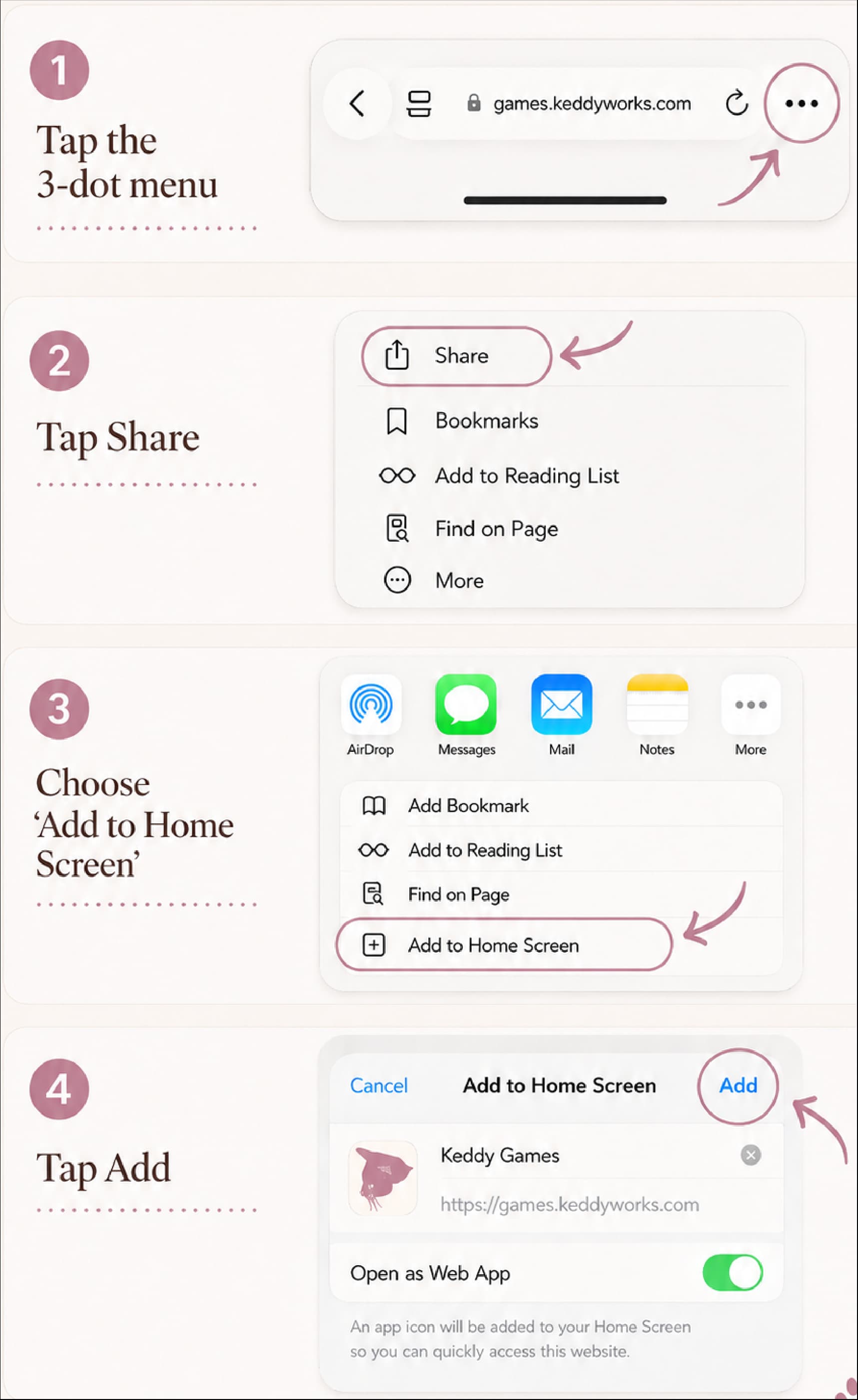
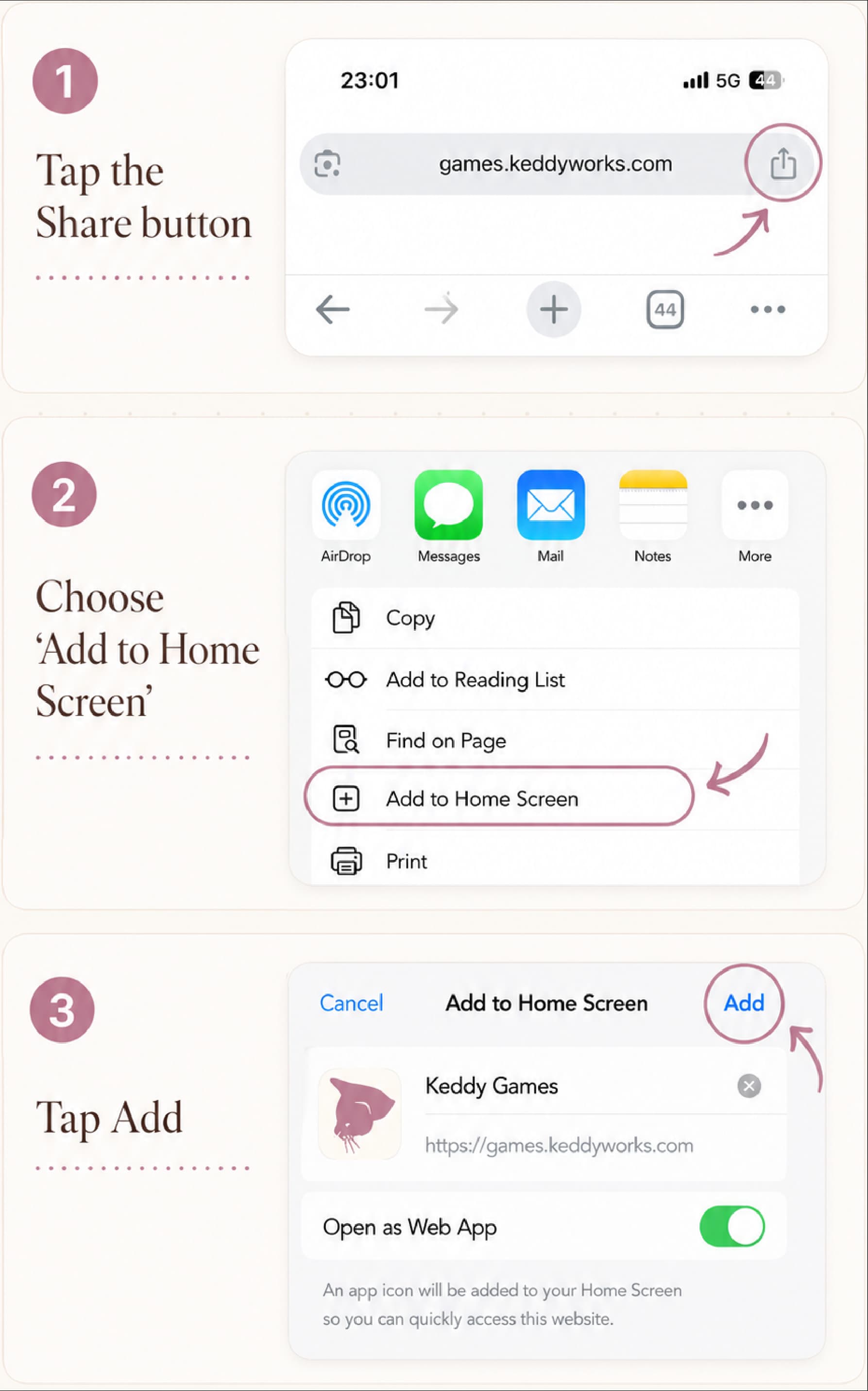
- Open the browser Share or menu button.
- Choose Add to Home Screen.
- Open Keddy from your Home Screen to play.
- Open the browser menu (⋮).
- Tap Install app or Add to Home screen.
- Open Keddy from your home screen to play.
- Look for the install icon in the address bar, or open the browser menu.
- Choose Install Keddy / Install app.
- Open Keddy from Applications or the Dock.
If you see an Install Keddy button on Get started, use that. It is the same flow.
- Open your browser’s menu and look for Install app, or open this site in Chrome/Safari.
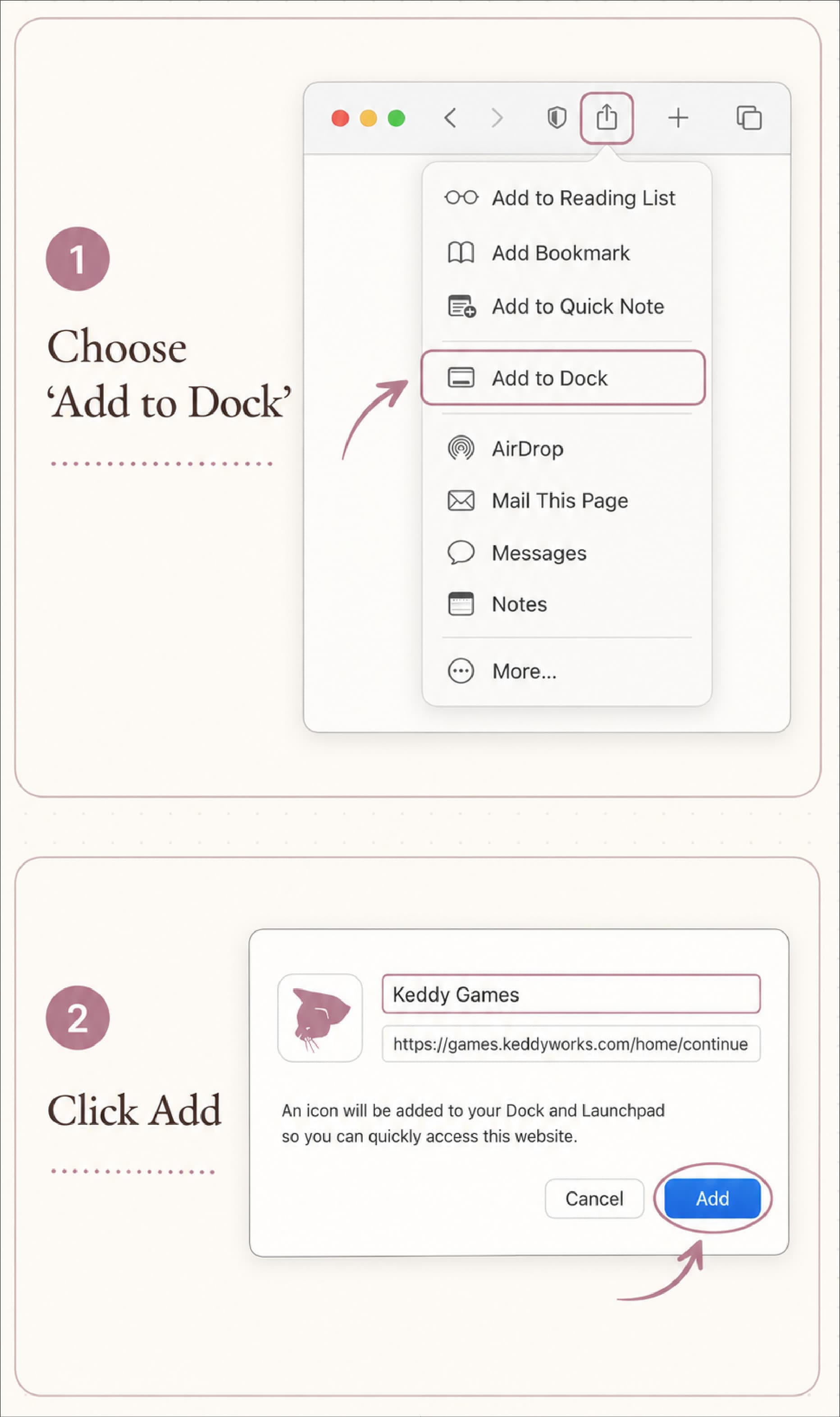
- In Safari you can use Share or File → Add to Dock.
- Or continue in the browser. Parties work best on phones.
For the smoothest install on Mac, use Chrome (Install) or Safari (Add to Dock).
- Look for the install icon in the address bar, or open the browser menu.
- Choose Install Keddy / Install app.
- Or continue in the browser. Parties work best on phones in the same room.
If you see an Install Keddy button on Get started, use that. It is the same flow.
- Open the browser menu and look for Install site as app, if available.
- Or open this site in Chrome/Edge for a one-click Install.
- You can always continue in the browser.